Transport
The Transport bar appears at the bottom of the Patchbay view when Jack is running. It lets you control Jack Transport — the shared timeline that synchronises all Jack-aware applications.
Transport controls are only active when Jack is running. Applications must support Jack Transport to follow play/stop commands.
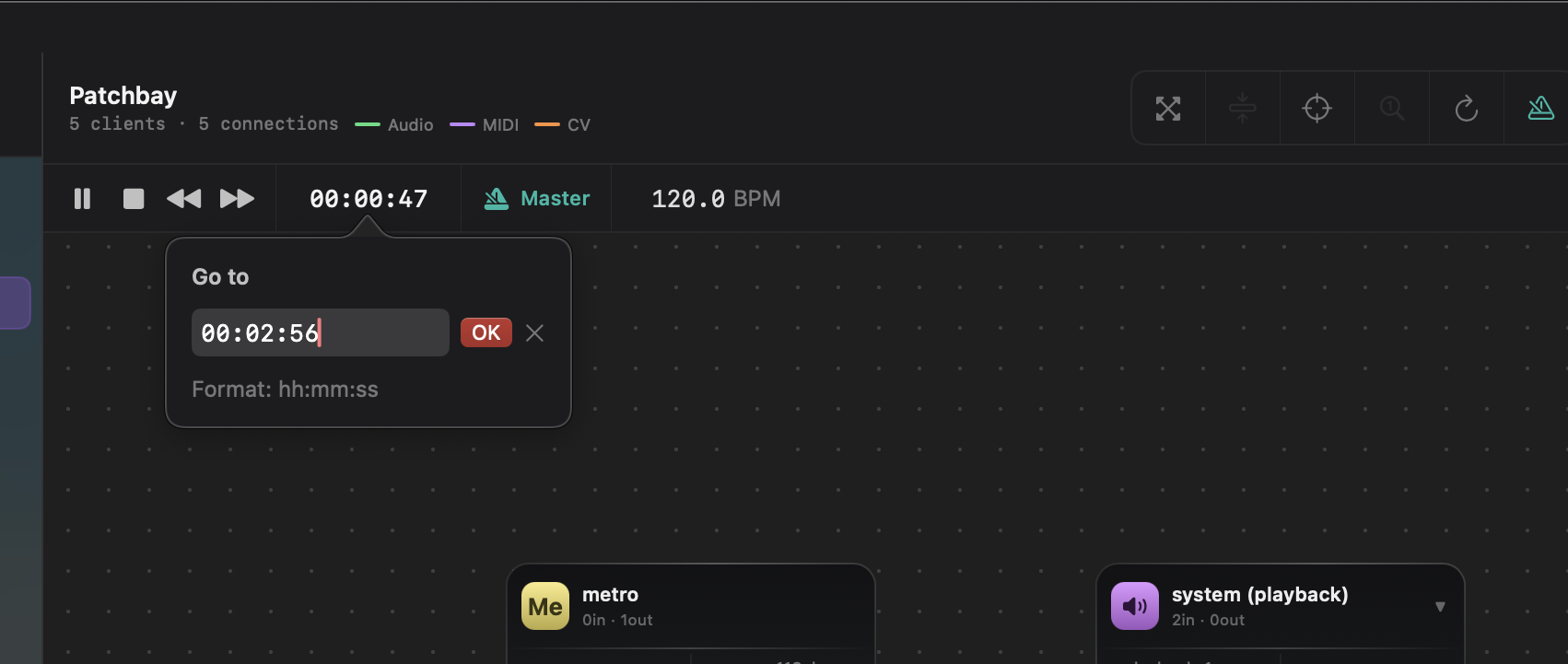
Transport controls
Play / Pause / Stop
| Button | Action |
|---|---|
| ▶ Play | Starts Jack Transport playback |
| ⏸ Pause | Pauses playback at the current position |
| ⏹ Stop | Stops playback and rewinds to position 0 |
Any Jack-aware application (DAW, looper, etc.) connected to the server will follow these commands in sync.
Seek
Click on the position display and type a value directly, or use the forward and rewind buttons.
Position display modes
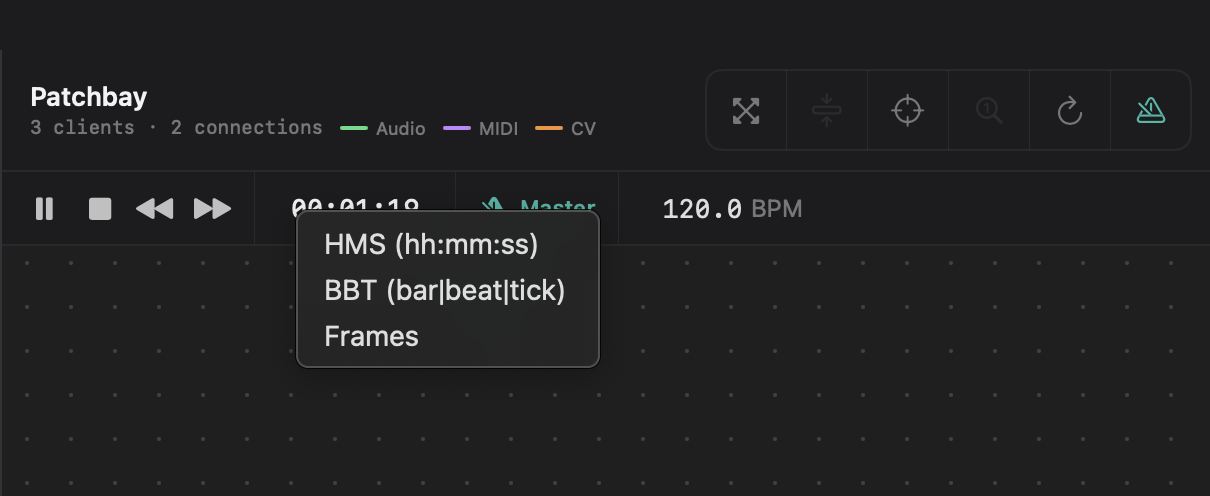
Click the position display to cycle through three display modes:
| Mode | Format | Description |
|---|---|---|
| BBT | 001:01:000 |
Bars, Beats, Ticks — musical time |
| HMS | 0:00:00.000 |
Hours, Minutes, Seconds, milliseconds |
| Frames | 000000 fr |
Raw sample frame count |
BBT is the most common mode for music production. HMS is useful for video synchronisation or when working with a fixed timeline. Frames is used for precise sample-accurate work.
BPM
The BPM field displays the current tempo in beats per minute.
- When JackMate is the timebase master: the BPM field is editable. Click to type a value or scroll to adjust.
- When another application is the timebase master: the field shows the tempo reported by that application (read-only).
Timebase master
The timebase master is the application responsible for providing BBT position and tempo information to the Jack Transport. Only one application can be timebase master at a time.
JackMate can claim or release the timebase master role:
| State | Indicator |
|---|---|
| JackMate is timebase master | Master indicator lit (green or amber) |
Click the Master button in the transport bar to toggle JackMate’s timebase master status.
If your DAW (Ardour, Reaper, etc.) manages tempo and time signature, let it be the timebase master. Use JackMate as master only when no DAW provides this role.